
How to get a token from a Telegram bot
You get a Telegram bot token by creating the bot in @BotFather and grabbing the HTTP API token from the reply. We walk through that first, then revoking and replacing the token if it’s gone or leaked. After that: wiring the same token into BOT-T, BOT-MARKET, or a small Python example.
How to get a token from a Telegram bot (@BotFather)
Have a display name in mind, plus a
@username that ends in bot (like MyShopBot). If the bot will touch channels or groups for subs or join requests, know which ones. It saves a round trip later.
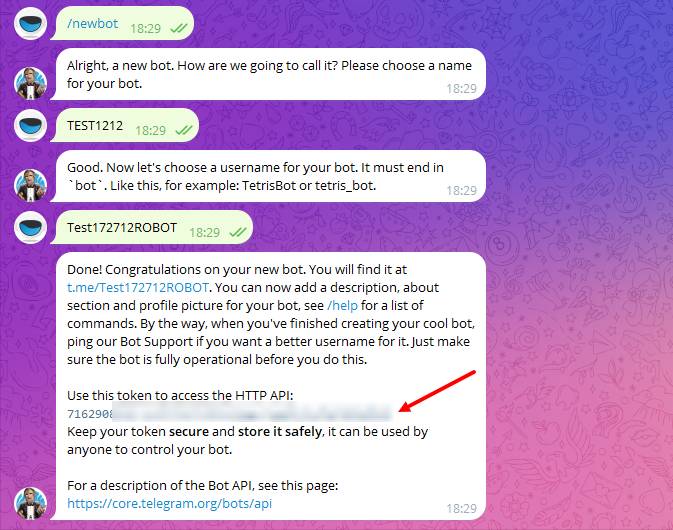
1️) Open @BotFather, hit Start or send
/start.2️) Send
/newbot.3️) BotFather asks for a display name — what people see in chats (“Support”, “Shop alerts”, whatever).
4️) Then the username: Latin only, must end with
Bot or _bot, and it has to be free across Telegram.5️) Done — you’ll get the API token. Copy the whole line, no trimming. Same string plugs into BOT-T, BOT-MARKET, Python, Node, or anything that speaks the Bot API.
Prefer video? Walkthrough: Telegram bot token.
How to reissue (revoke) a Telegram bot token
Easiest path — bot menu
- @BotFather →
/mybots. - Pick the bot.
- Open something like API Token.
- Use Revoke / “revoke current token” (labels shift sometimes). You’ll get a fresh token.
- Save it somewhere sensible, then update every integration that had the old one.
/revoke, choose the bot, then /token on the same bot if you need to read the current key again after BotFather split the reply across messages.Why it matters
Whoever holds the token runs the bot. Skip public repos, screenshots, and random paste bins. Switching builders or moving off someone else’s server? Rotate the token so the old stack can’t keep calling your bot.
Bot lived on another platform before? Issue a new token when you connect it elsewhere or go self-hosted — don’t let the previous integration reuse the old secret.
Creating a bot with Python
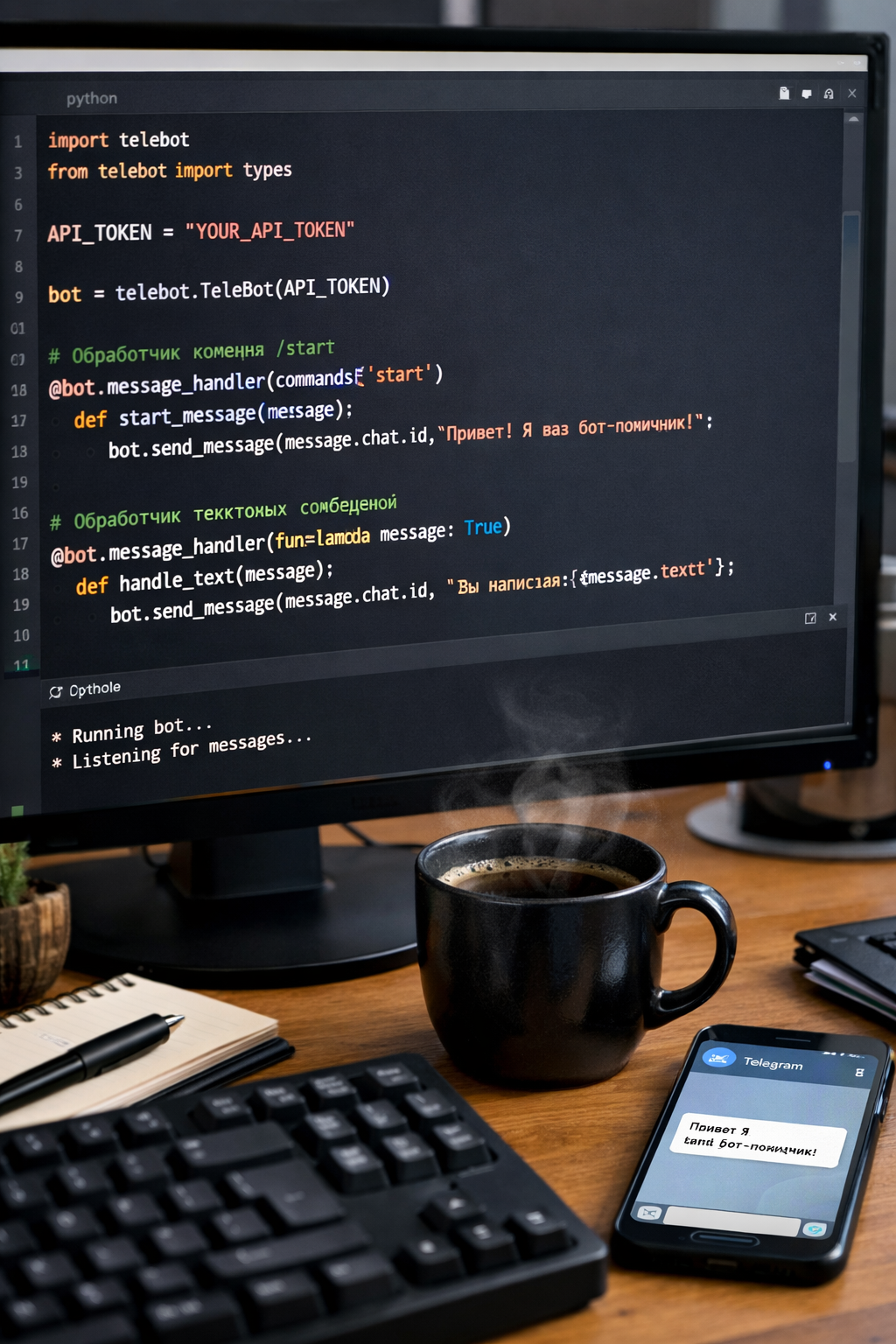
Minimal Python example
Coding the bot yourself means you own every branch and API call. A common stack ispython-telegram-bot (async, Python 3.10+) with ApplicationBuilder and run_polling() for a simple long-running process.
Install:
pip install python-telegram-botfrom telegram import Update
from telegram.ext import ApplicationBuilder, CommandHandler, ContextTypes
TOKEN = "YOUR_TOKEN_FROM_BOTFATHER"
async def start(update: Update, context: ContextTypes.DEFAULT_TYPE):
await update.message.reply_text("Hello! The bot is up and running.")
app = ApplicationBuilder().token(TOKEN).build()
app.add_handler(CommandHandler("start", start))
app.run_polling()Run the script: it listens for updates; a user sends
/start and gets the hello text back. From there you bolt on DBs, payments, or whatever — the snippet is just the skeleton the library expects right now (ApplicationBuilder + run_polling()).
No time for code?
Python is great when you want total control; it’s also ongoing work. For shops, lead funnels, forced subs, or support flows, a no-code builder is often faster. BOT-T and BOT-MARKET both assume you already have the bot + token from BotFather — you plug the string in and shape the scenario visually.How to create a bot through BOT-MARKET — Option 1.
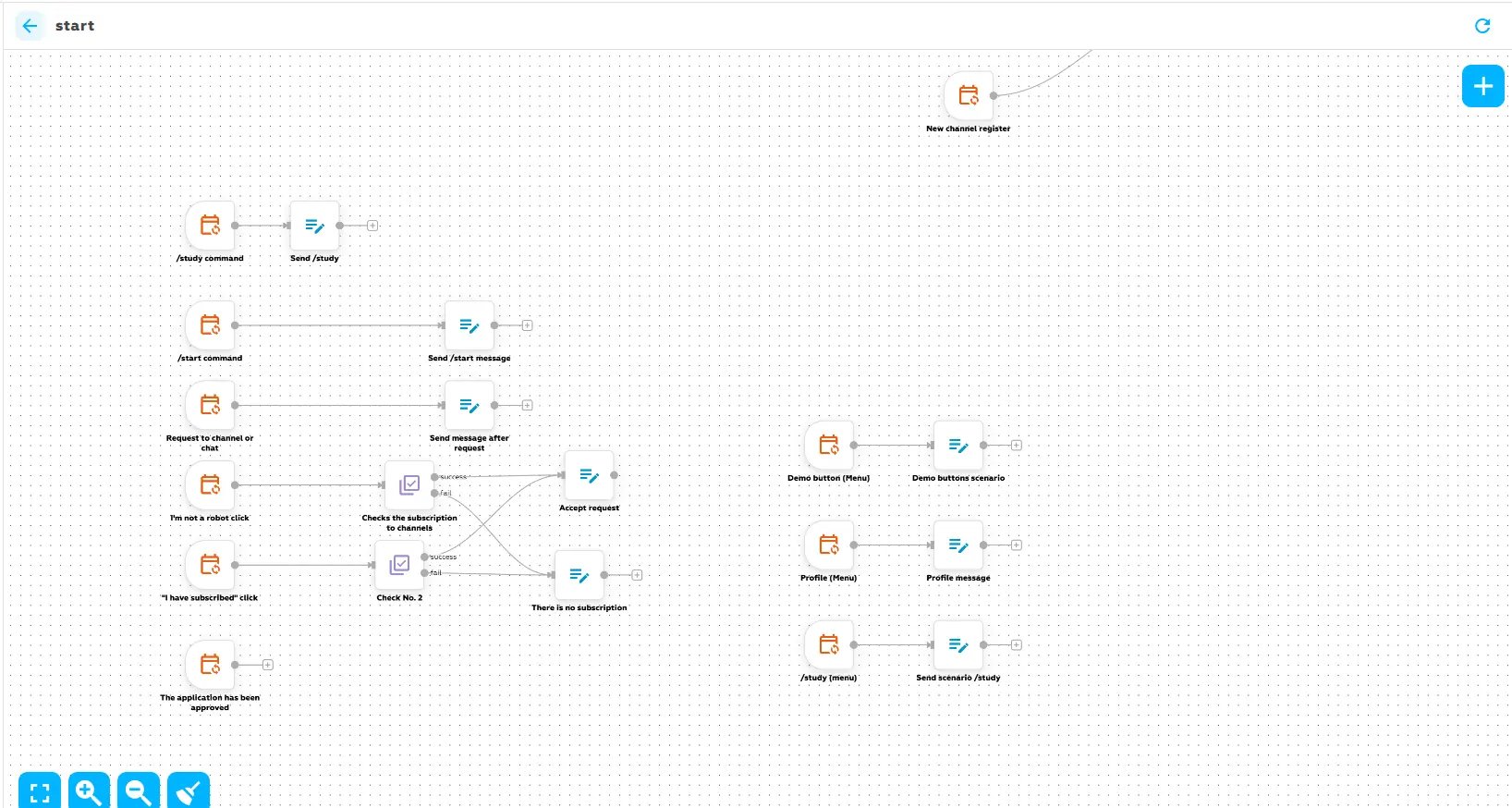
Telegram bot in BOT-MARKET
BOT-MARKET is a visual builder: templates and blocks instead of repos. Pick a flow, hook up your bot, tweak copy and buttons, tweak conditions, ship.
Prerequisite: bot already exists in @BotFather and you’re holding the API token. Then you’re ready inside BOT-MARKET.
-
Step 1. Open the bot catalog
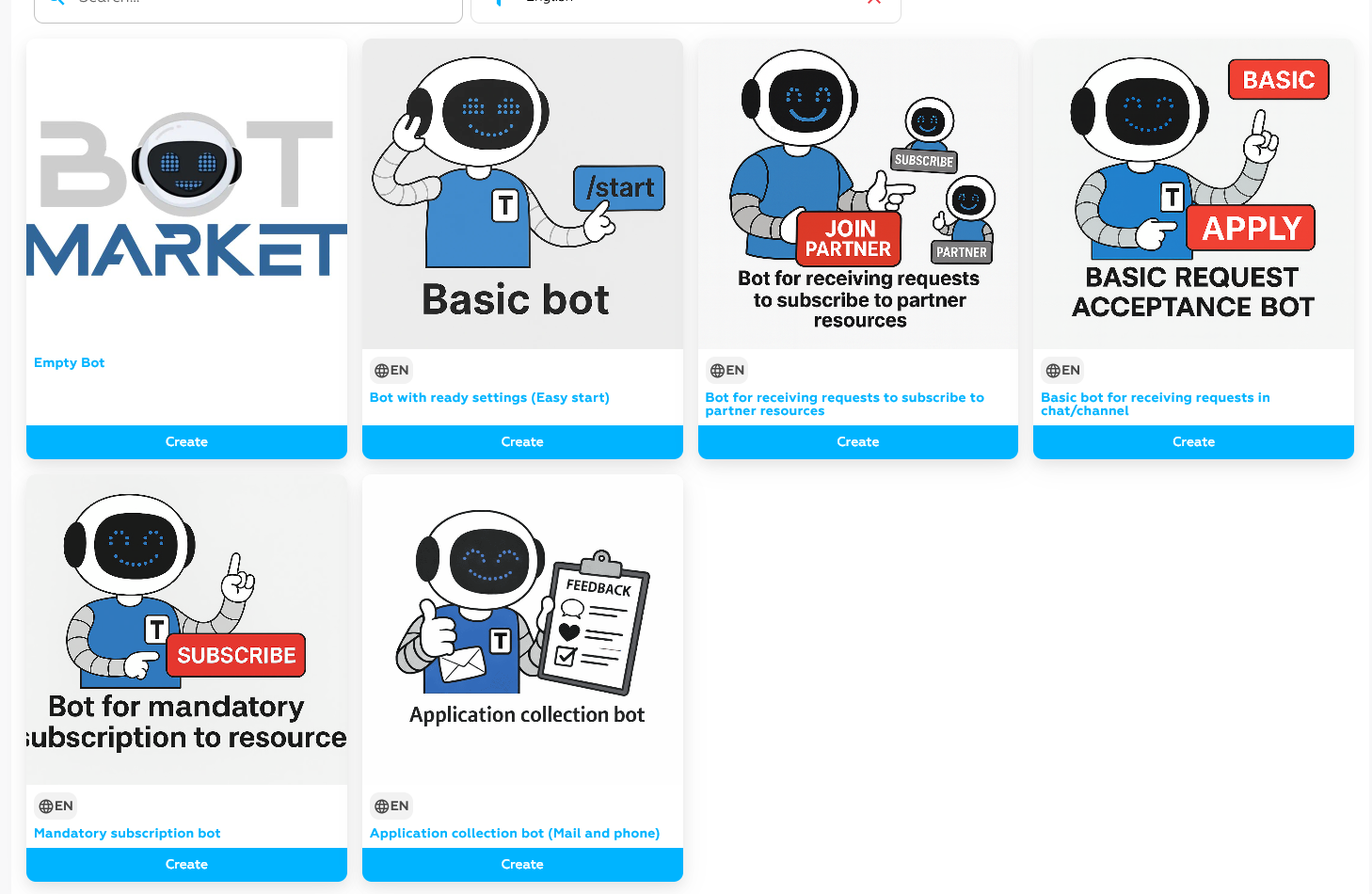
Log into BOT-MARKET → Bot Catalog. You’ll see templates: bare bones, leads, mandatory channel checks, and more.
-
Step 2. Pick a template
Match the card to what you’re building, then hit Create on that card.
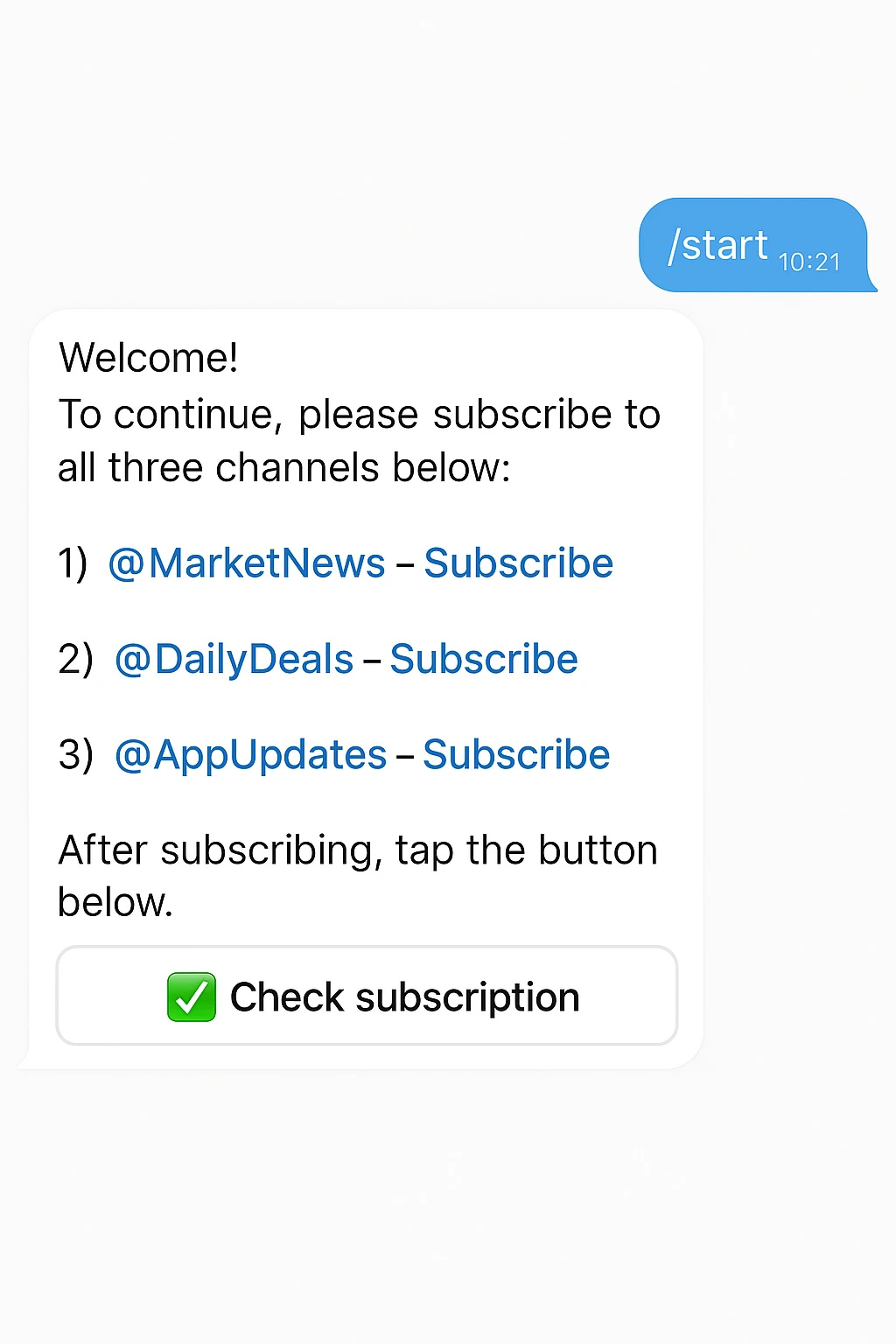
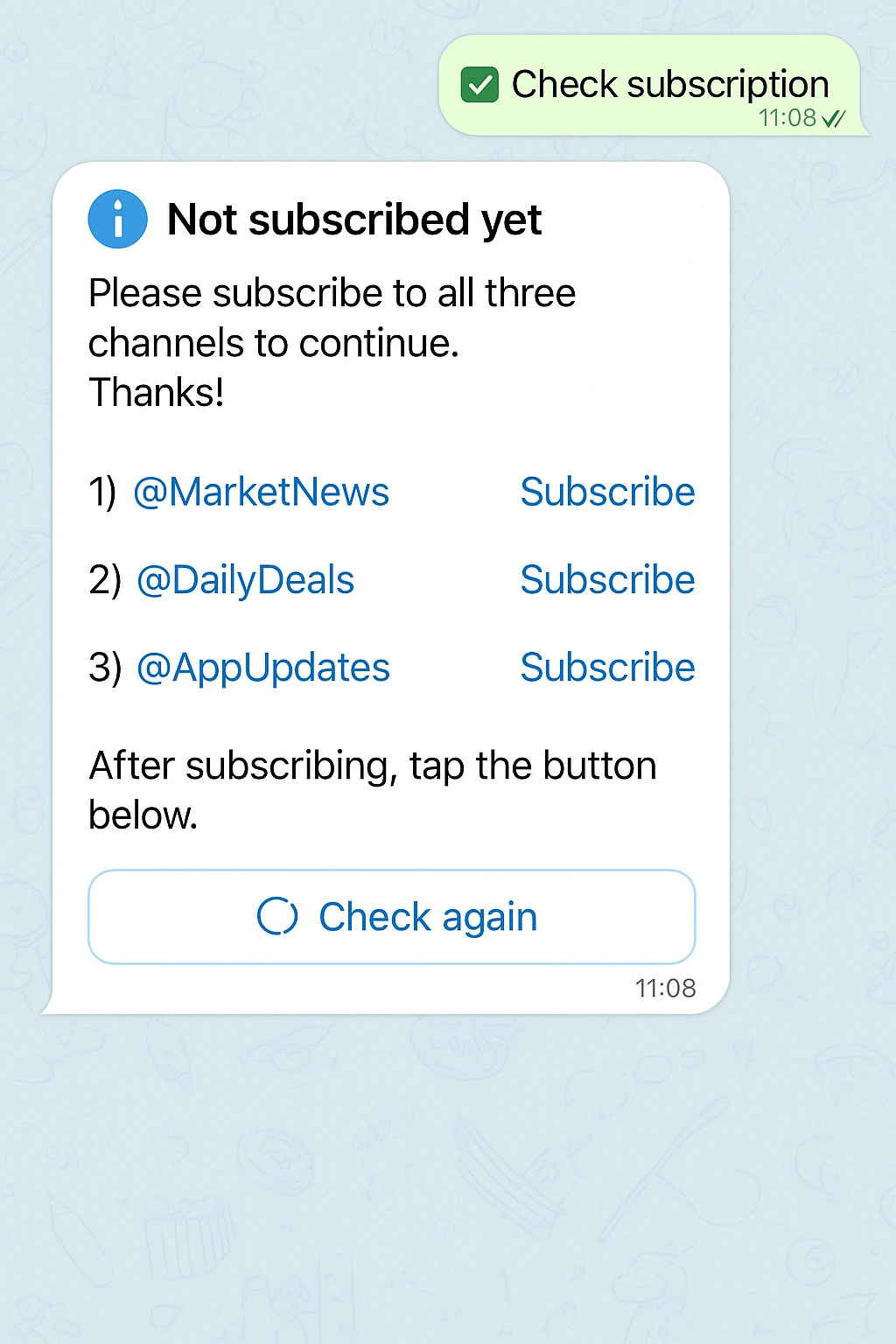
Need subscription checks? Grab Mandatory Channel Subscription Bot — it’s the usual starting point for that job. -
Step 3. Open the connect / clone screen
 Bot asks the user to subscribe to the listed channels.
The next screen explains what the template does and gives you a field to attach your Telegram bot.
-
Step 4. Paste your bot token
In the “Bot token” field, paste the API token that you received earlier from @BotFather.
Paste the token exactly — no spaces, no quotes. Otherwise BOT-MARKET won’t bind the bot. -
Step 5. Clone
Token in place → Clone selected bot.
If the token’s valid, you get your own copy wired to your bot; it lands in the workspace ready to edit.
-
Step 6. Tweak copy and flow
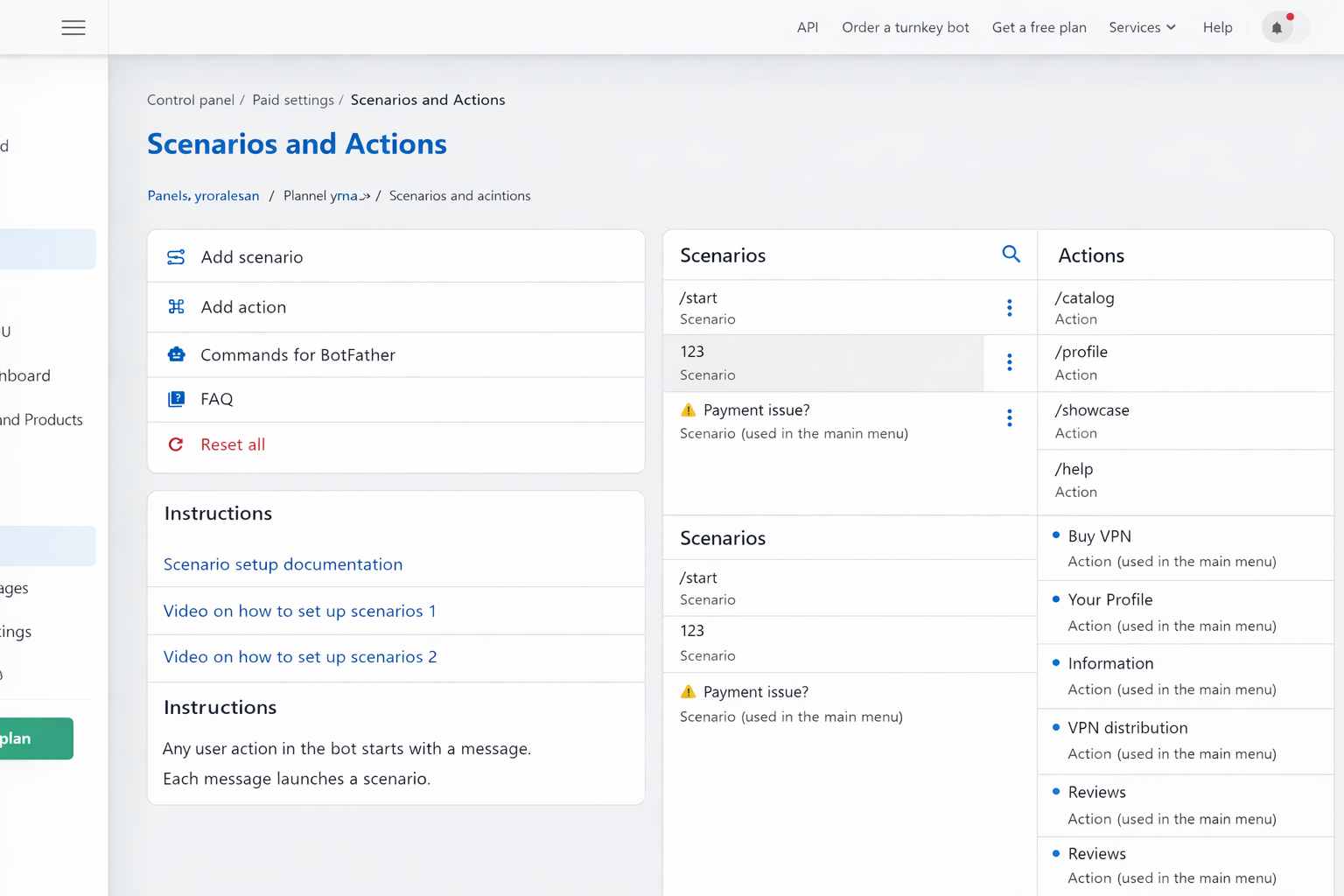
Rename messages, reorder buttons, tighten conditions — whatever the template left open for you.
BOT-MARKET shows the flow as a diagram. You see branches, user paths, and what fires when — handy when the scenario isn’t linear. -
Step 7. Wire channels if the template needs them
Subscription or join-request flows mean adding the bot to the right channel/chat with the admin rights the template asks for.
How to create a bot through BOT-T — OPTION 2.
Token in, bot on BOT-T
Token from @BotFather in hand → open BOT-T, head to bot creation, then:
-
Copy the token
BotFather’s message has the API string; copy it whole, no trimming.
-
Open BOT-T
In your account, open the “new bot” / create flow (wording shifts, but it’s the obvious entry).
-
Paste the token
There’s a dedicated field — drop the BotFather value there.
-
Confirm creation
Hit Create bot or whatever the UI labels the final step.
-
Wait for the handshake
Good token → bot shows up in your BOT-T workspace; then you edit behavior, not credentials.
Messages and logic
What you configure next tracks what you’re building.
Rough map:
- Store — catalog, categories, cards, payments, checkout steps.
- Leads — greeting, intake, confirm buttons, follow-up branches.
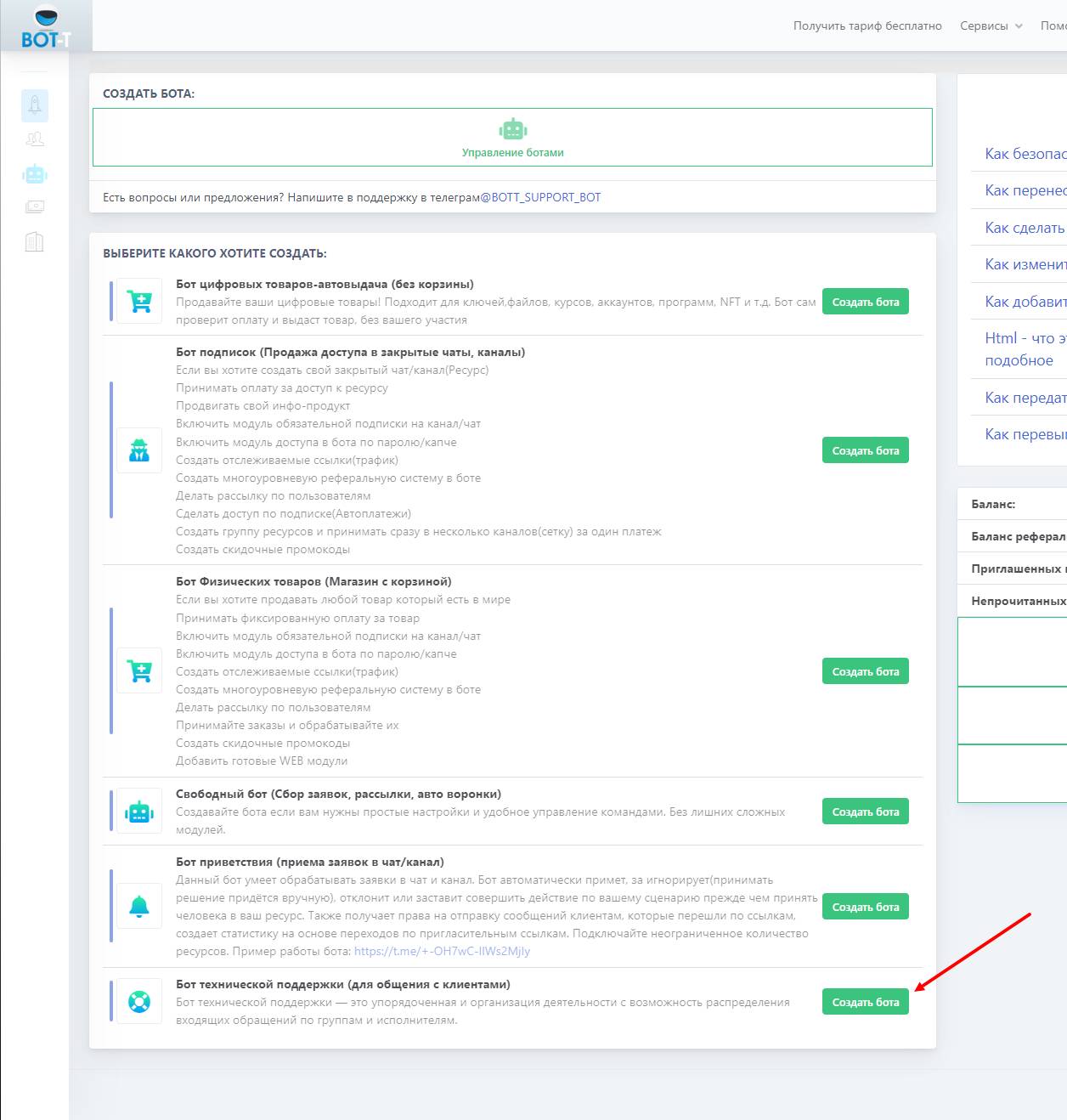
- Support — topics, routing, who picks up the thread, ticket-style handling.
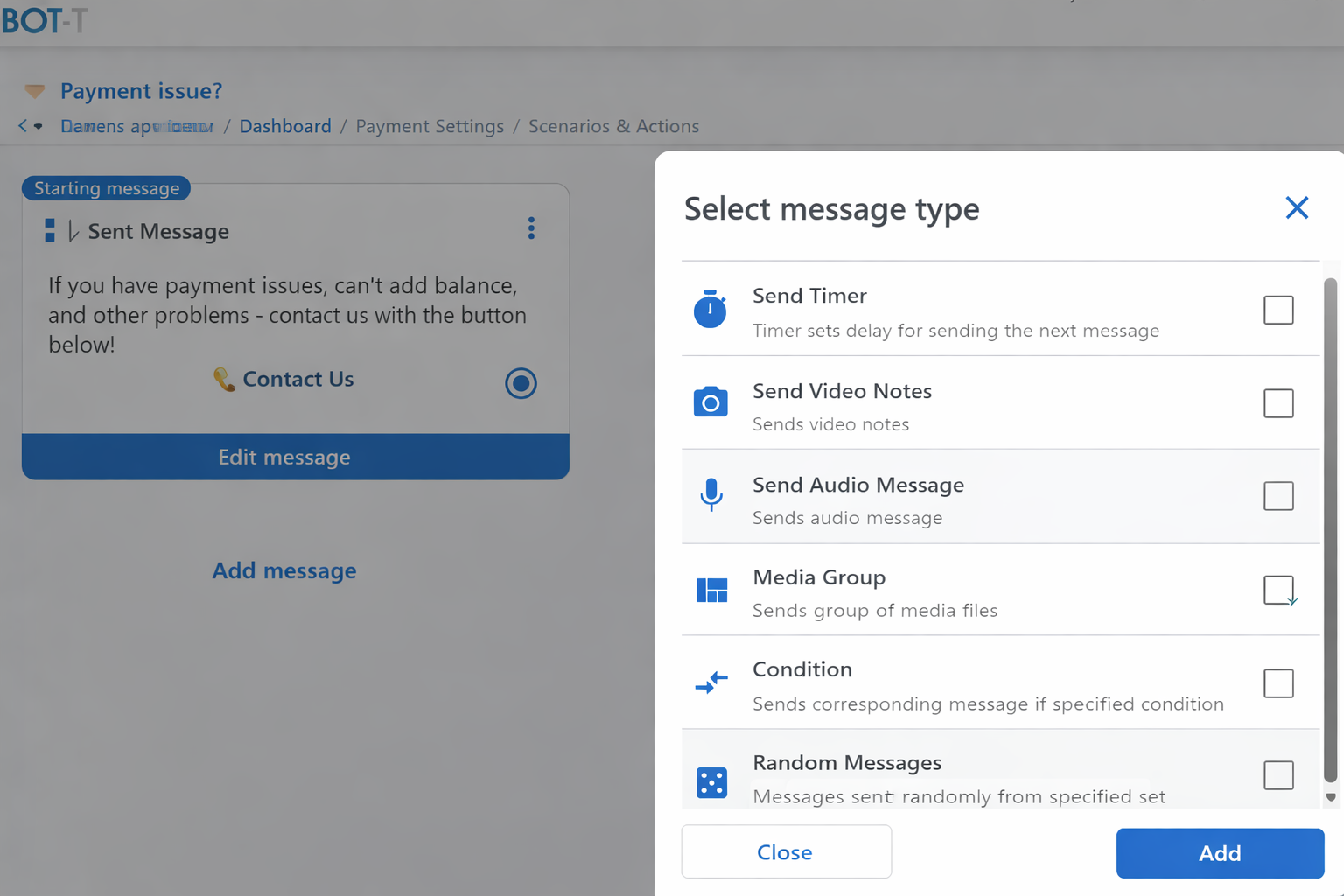
Fine-tuning after connect
Store bot → stock, categories, pricing hooks. Lead bot → opener, how you capture the lead, what happens on “yes”. Support bot → queues and who answers. Same platform, different skeletons.Where BOT-T saves time is those skeletons: you start from a business-shaped template and grind down to your wording and rules instead of inventing the graph from zero.
Common mistakes when launching a bot
A lot of “my bot is broken” tickets trace back to launch details, not the template itself. Usual suspects:
-
Bad or stale token.
Typo, half copy-paste, or you revoked it and forgot to update the builder — the platform simply can’t talk to Telegram. -
Bot isn’t admin where it matters.
Sub checks and join flows need real permissions in the channel or group. -
Wrong invite link flavor.
Join-request flows need the link type that actually asks for approval — a plain public link won’t behave the same. -
Demo text and demo IDs still in the clone.
Especially on BOT-MARKET: the bot “runs” but points at sample channels or placeholder copy. -
Never walked through as a user.
Designer view looks fine; real account hits a dead branch. Click your own links once.
What should you do if you lose access to the account where the bot was located?
Recover the account first
Best case: you get the old login back and keep the same bot + subscribers. Try in this order:
-
Phone login — SMS or Telegram-delivered code on the number tied to the account.
-
2FA backup codes if you enabled two-step verification.
- Telegram support — telegram.org/support. Explain the number, roughly when access dropped, what devices still show the session. Heads-up: they don’t guarantee recovery without solid proof it’s yours.
If the account is gone for good
You’re migrating attention, not “moving” the bot. Announce a new bot on channels, mailouts, site — anything that still reaches people — and accept you’re rebuilding the list on fresh credentials.Before disaster strikes
Second Telegram login with a spare channel or backup bot gives you a place to point traffic if the main profile vanishes or gets limited.
Audience insurance
Some teams run a small lead-capture bot on that backup account and funnel everyone there too, so one lost phone number doesn’t erase the whole contact base. Starter flow: spin up a lead bot.
Which bot builder should you choose?
BOT-MARKET — heavier on the visual graph: clone, branch, subscriptions, forms, gating — still no code, but you’re moving nodes more than picking a single vertical template.