Telegram bot for collecting customer leads
A Telegram lead collection bot receives inquiries, asks follow-up questions, collects contacts and forwards the lead to the required chat or to a manager so you don’t lose conversions.
What is a Telegram feedback and lead collection bot used for?
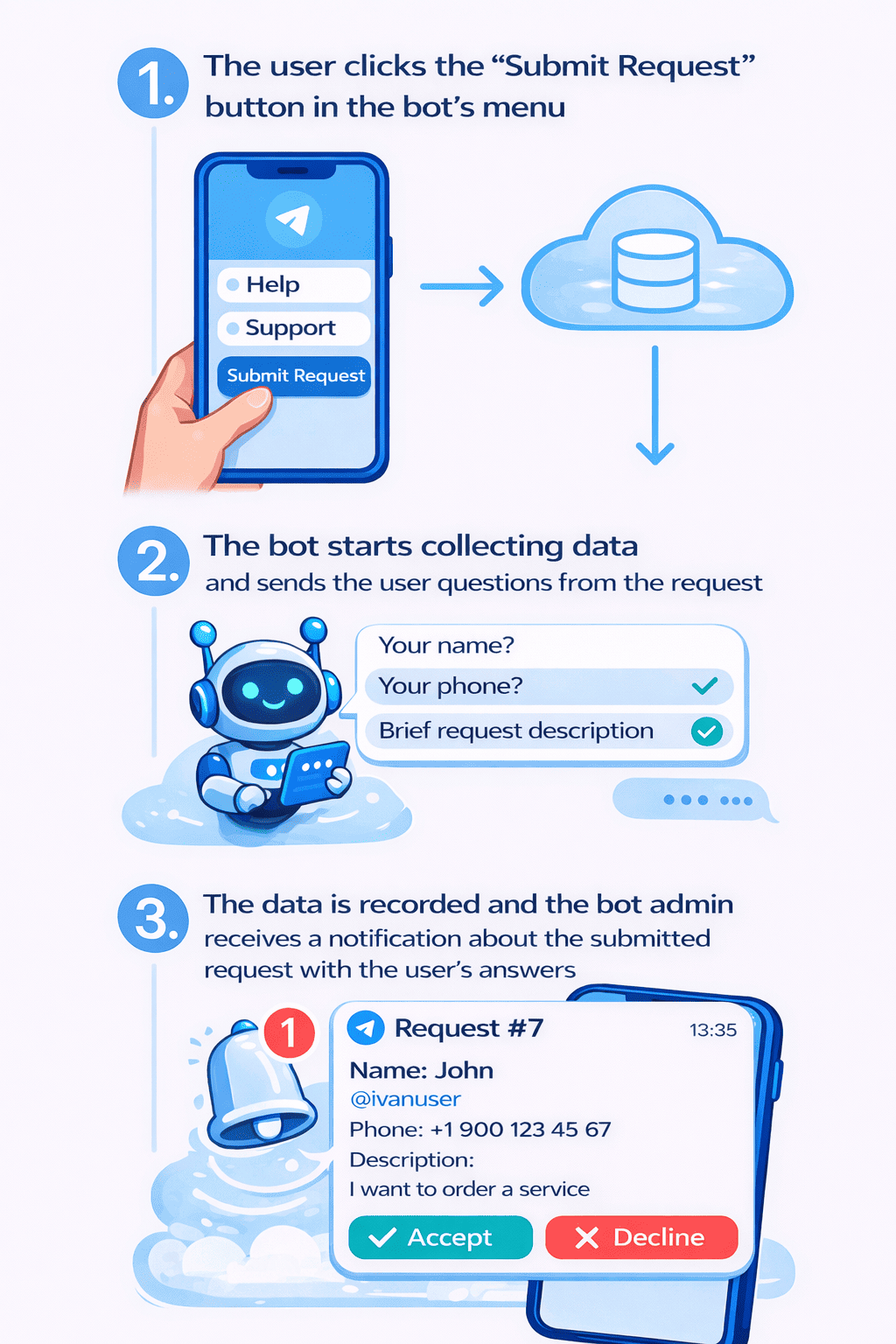
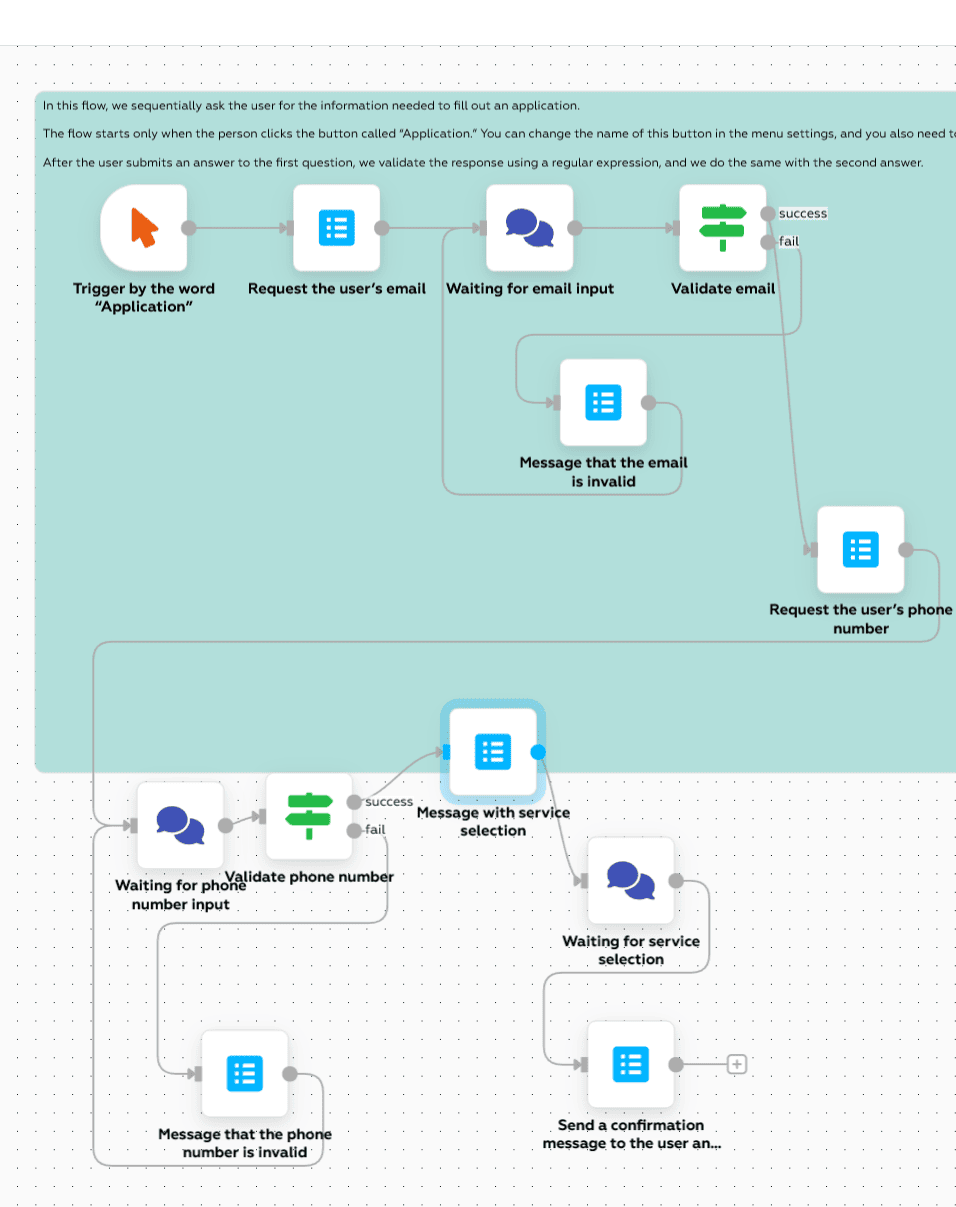
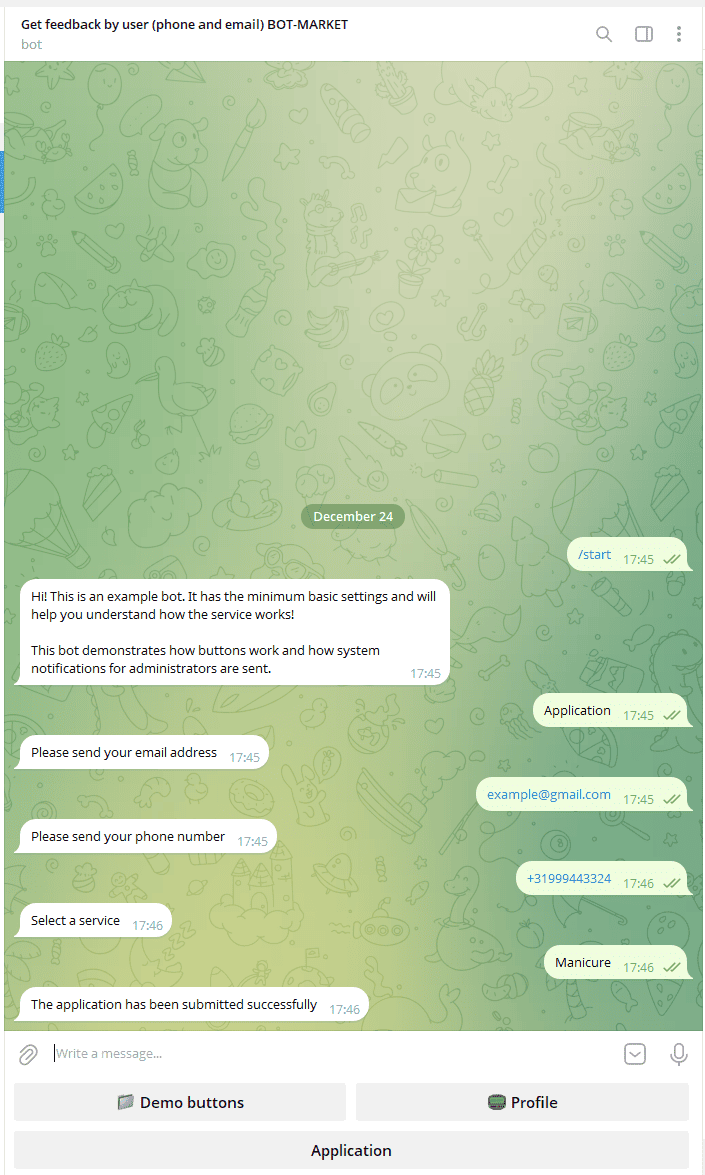
Usage scenarios: a feedback bot and a lead collection bot help moderation, help you avoid losing conversions, and preserve contact with “warm” clients.
The bot collects the request, asks questions, automates the process, removes the need for a manager’s daily presence, and works 24/7.
A Telegram feedback bot lets customers leave a review, complaint, or suggestion in a convenient format — without forms and email.
A Telegram lead collection bot qualifies inquiries: budget, service, city, timing — the manager receives an already “warm” lead.
A Telegram anti-spam protection bot filters out bots, fake accounts, and mass attacks before the request reaches a channel or chat.
A lead collection bot runs 24/7, responds to the customer instantly, and reduces conversion losses from ads and social networks.
The bot asks questions and filters out irrelevant inquiries, saving you time.
The bot collects contacts and user names so you can later tell them about your new product without losing “warm” clients via bot broadcasts.
UTM tags, export to CRM and spreadsheets, segmentation by sources and funnel stages: track how your Telegram bot works and conversions using a feedback bot
How to create a feedback bot or a lead collection bot in Telegram?
No time? Order professional setup.
Why businesses need a feedback bot and lead collection
No lost leads
All inquiries are collected centrally — nothing gets lost in direct messages or comments.
Protection from bots and spam
Anti-spam checks and rejection logic keep fake leads from getting into the channel.
Collecting customer data
Every customer will be saved in your database so you don’t lose conversions. The bot can collect data (phone, email, etc.).
Filtering and lead quality
A quiz and auto-qualification remove “noise” — managers work with relevant leads.
Why choose BOT-MARKET to create a bot?

Free
Start for free, pay as you grow. No per-user fees.
No code
Visual editor.

24/7 support
Fast help, knowledge base, and an AI assistant.

Scalable
From small business to enterprise.

Artificial intelligence
GPT bots 24/7.

Reliable
Detailed logs and stability.

API integrations
Telegram, WhatsApp, Instagram, CRM, payments.

Templates
Launch in 10 minutes.
FAQ — frequently asked questions
What is a feedback bot and how does it work?
The bot receives inquiries and leads from customers in Telegram, asks follow-up questions, checks activity/subscriptions if needed, and sends the completed lead to the required channel or to a manager.
Can I require subscription to multiple channels?
Yes. Specify the required channels/chats — the bot will check subscriptions (public/private) and grant access only when the conditions are met.
What happens if a user unsubscribes?
You can automatically restrict access: remove or limit the user, trigger a re-check, or mark them in the database for manual moderation.
How long does setup take?
Basic setup takes 5–15 minutes: @BotFather → copy the template → specify channels and permissions → edit texts and rules. For complex scenarios — specialist setup.
How much does it cost?
There are free options and paid plans starting from $3/month depending on volume and integrations. The exact price is available in your dashboard.
Where can I find the guide?
In the BOT-MARKET knowledge base: step-by-step instructions for the template, scenario setup, and common mistakes.
Telegram subscription check bot: step-by-step guide